Today we're open-sourcing the oobo CLI and launching two new capabilities on the platform.
oobo goes open source
The oobo CLI is now open source. It wraps git: read operations pass through directly, write operations (commit, push) get enriched with session metadata, code attribution, and token usage. The result is an anchor attached to every commit.
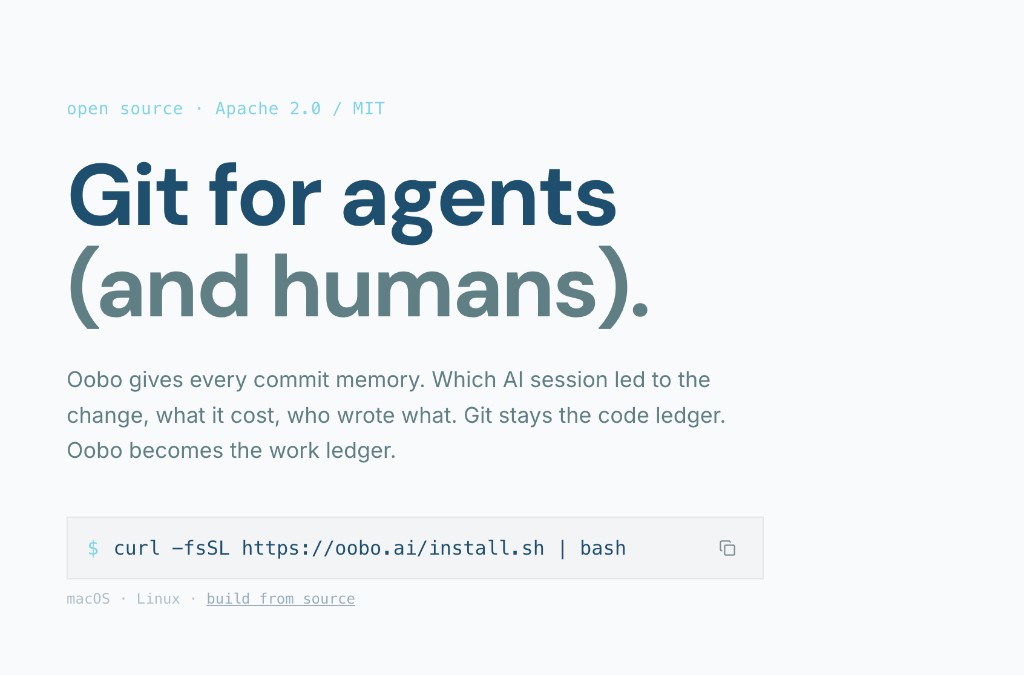
Install and set up in two commands. Setup detects your AI tools (Cursor, Claude Code, Gemini CLI, Codex, OpenCode, Copilot, Windsurf, Aider, Zed, Trae) and configures lifecycle hooks automatically.
$ oobo setup
$ oobo commit -m "fix auth middleware"
$ oobo push origin main
You can alias it as git so you never think about it. Every commit automatically becomes an anchor.
$ git commit -m "now this is oobo"
Every command also accepts --agent for structured JSON output, so agents can install, commit, and query oobo programmatically.
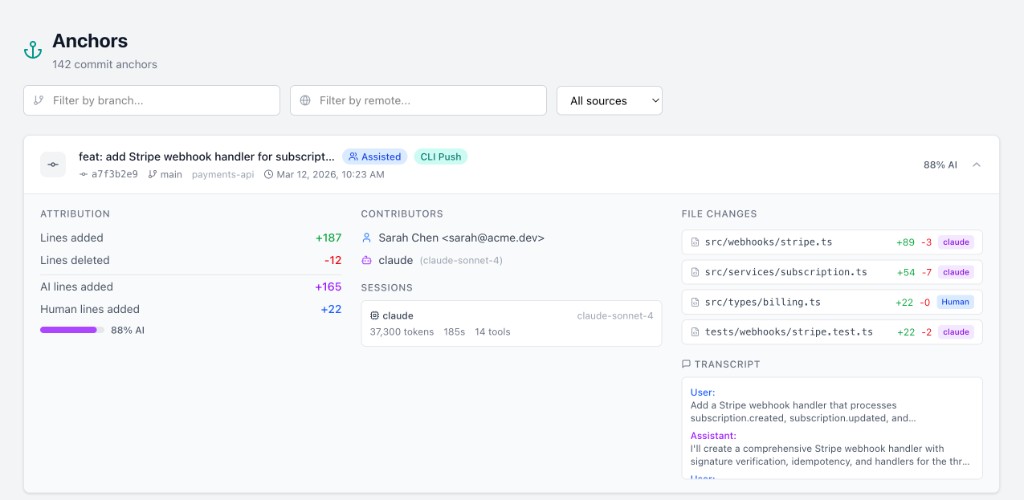
Anchors
An anchor is the record of how a commit was made. It captures which AI sessions contributed, which agent touched which files, how many tokens were used, and the exact line-level split between AI and human code.
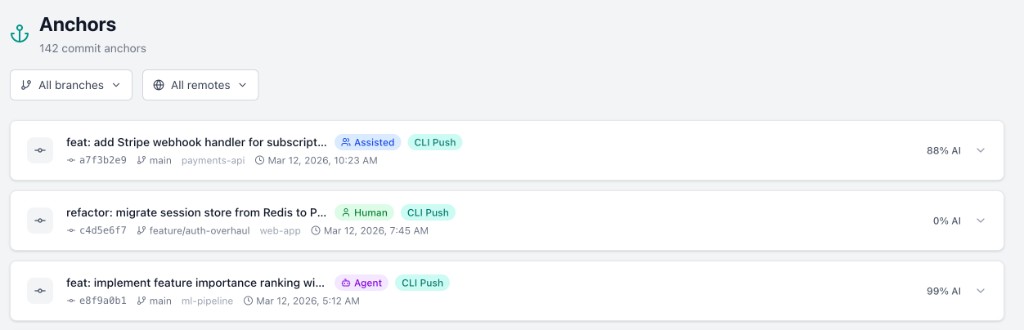
Every anchor includes:
- •Line-level attribution per file (AI-added, human-added, per agent)
- •Linked sessions with agent name, model, token counts, duration, and tool calls
- •Contributors with roles and model names
- •Optional transcript of the conversation that produced the code
Lens
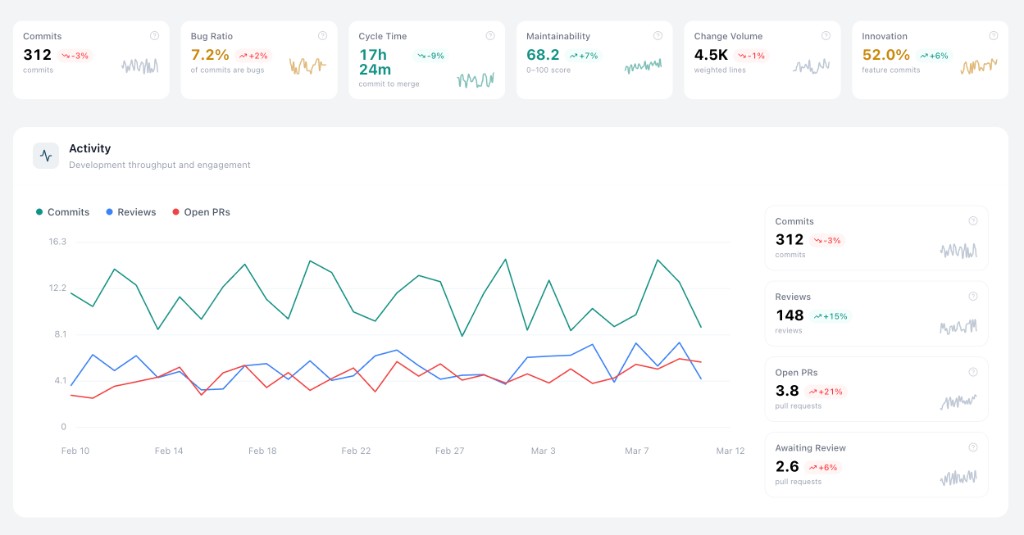
Lens is a timeseries engineering metrics dashboard. It computes daily metrics from your git history and connected providers, then surfaces them as charts, summary cards, and AI-generated overviews. Everything can be filtered by team, member, and date range.
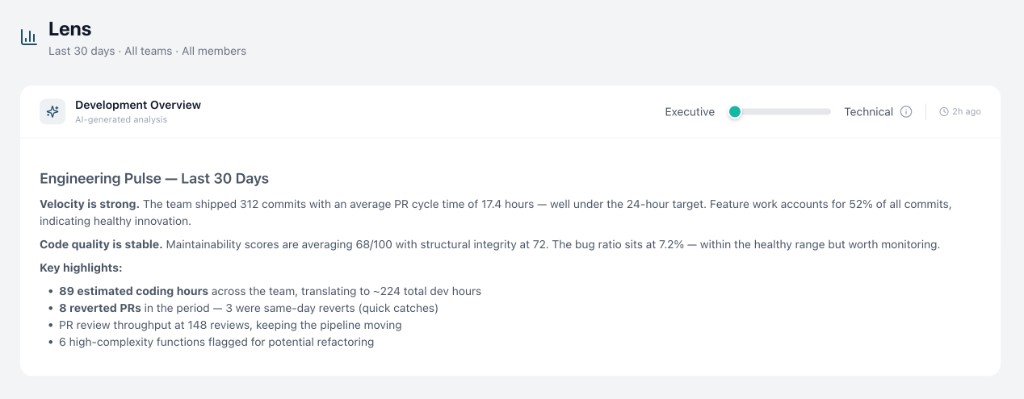
28 metrics across six categories:
- •Activity: commits, code reviews, open PRs, review queue depth
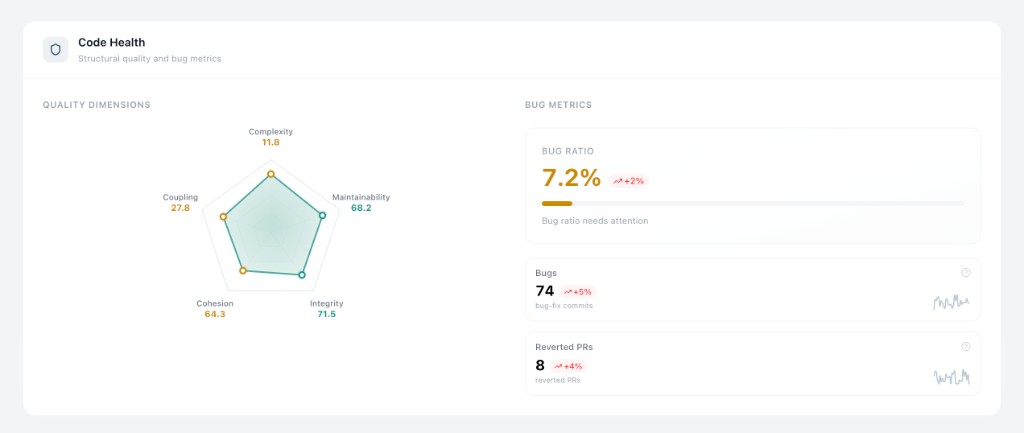
- •Code health: maintainability, structural integrity, cohesion, coupling, cyclomatic complexity, bug ratio
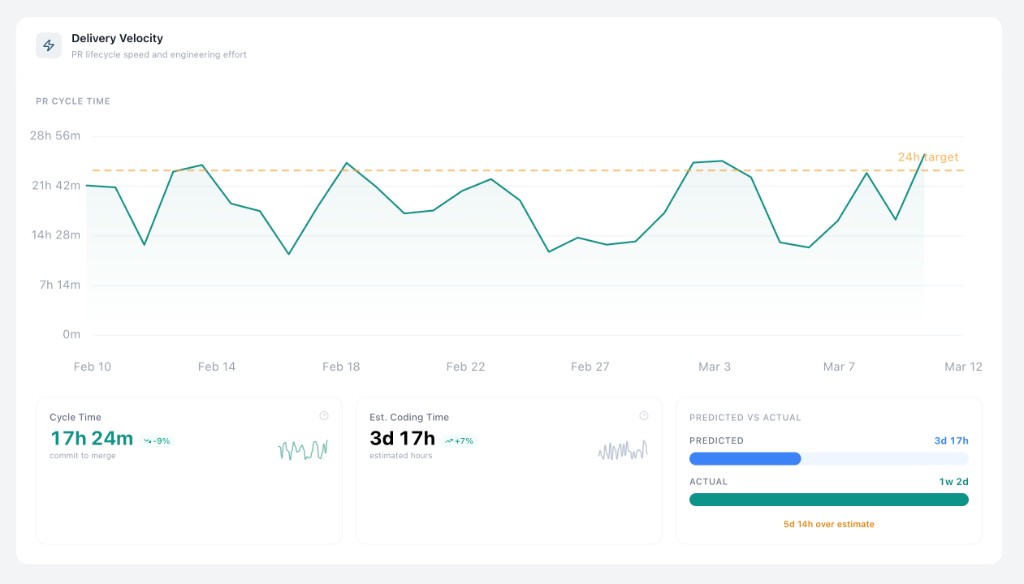
- •Velocity: PR cycle time, estimated coding time, predicted vs actual effort
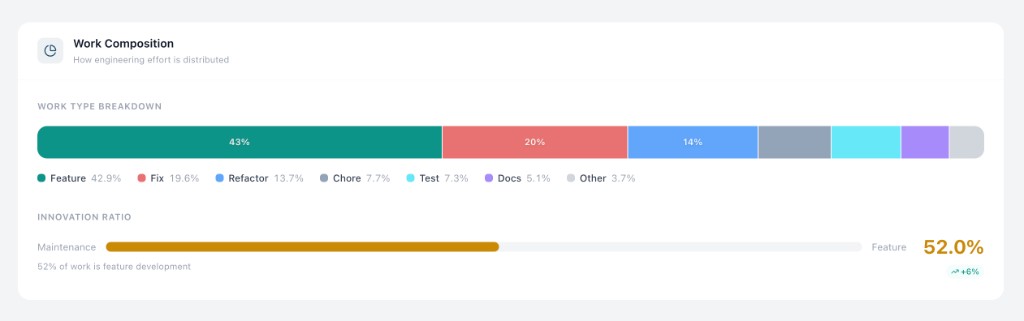
- •Work composition: commit type breakdown (feature, fix, refactor, test, docs, chore) and innovation ratio
- •Bugs: bug-fix counts and ratios at org, team, and member level
- •Effort: task difficulty, change volume, estimated development hours